Best Medical Alert Systems for Seniors Living Alone in 2026
For the estimated 14.7 million Americans aged 65 and older who live alone, according to the U.S. Census Bureau, a medical alert system can be the difference between getting help within minutes and lying on the floor for hours — or longer. These devices, also known as personal emergency response systems (PERS), provide a direct line to emergency assistance at the press of a button. With the technology having advanced significantly in recent years, the best medical alert systems for seniors now offer fall detection, GPS tracking, two-way communication, and smartphone integration.
This guide breaks down what to look for, how the leading systems compare, and how to choose the right option for your loved one's specific situation.
Why Medical Alert Systems Matter
The statistics make a compelling case. The National Council on Aging reports that an older adult is treated in the emergency room for a fall every 11 seconds. Research published in the Journal of the American Geriatrics Society found that seniors who cannot get up after a fall and remain on the ground for more than one hour face a significantly higher risk of hospitalization and death, regardless of the injury itself. The time spent on the ground — often referred to as a "long lie" — can cause dehydration, hypothermia, rhabdomyolysis, and pressure injuries.
A medical alert system eliminates the helplessness of being unable to reach a phone. For families, it provides peace of mind knowing that help is always just one button press away.
Key Features to Look For
Not all medical alert systems are created equal. When evaluating options, the Consumer Technology Association and AARP recommend prioritizing these features:
- Automatic fall detection. Advanced accelerometers and algorithms can detect a fall and automatically contact the monitoring center, even if the user cannot press a button. This is critical for seniors with dementia or those who may lose consciousness.
- GPS and location tracking. Essential for seniors who leave the home regularly. GPS-enabled devices allow emergency dispatchers to locate the user precisely, even when they cannot communicate their location.
- Two-way voice communication. The device should allow the user to speak directly with a monitoring center operator through the pendant or wristband, without needing to reach a base station.
- 24/7 professional monitoring. A device that only dials 911 is less effective than one connected to a trained monitoring center. Professional operators can assess the situation, contact family members, and dispatch the appropriate level of emergency response.
- Water resistance. Falls frequently occur in the bathroom. A device that must be removed before showering is a device that is not being worn when it is needed most.
- Long battery life. Mobile units should last at least 24 hours on a single charge. Some models offer up to five days.
- Comfortable, wearable design. If the device is bulky, uncomfortable, or stigmatizing, the senior will not wear it. Look for lightweight pendants, slim wristbands, or clip-on designs.
Types of Medical Alert Systems
Medical alert systems generally fall into three categories, each suited to different lifestyles and needs:
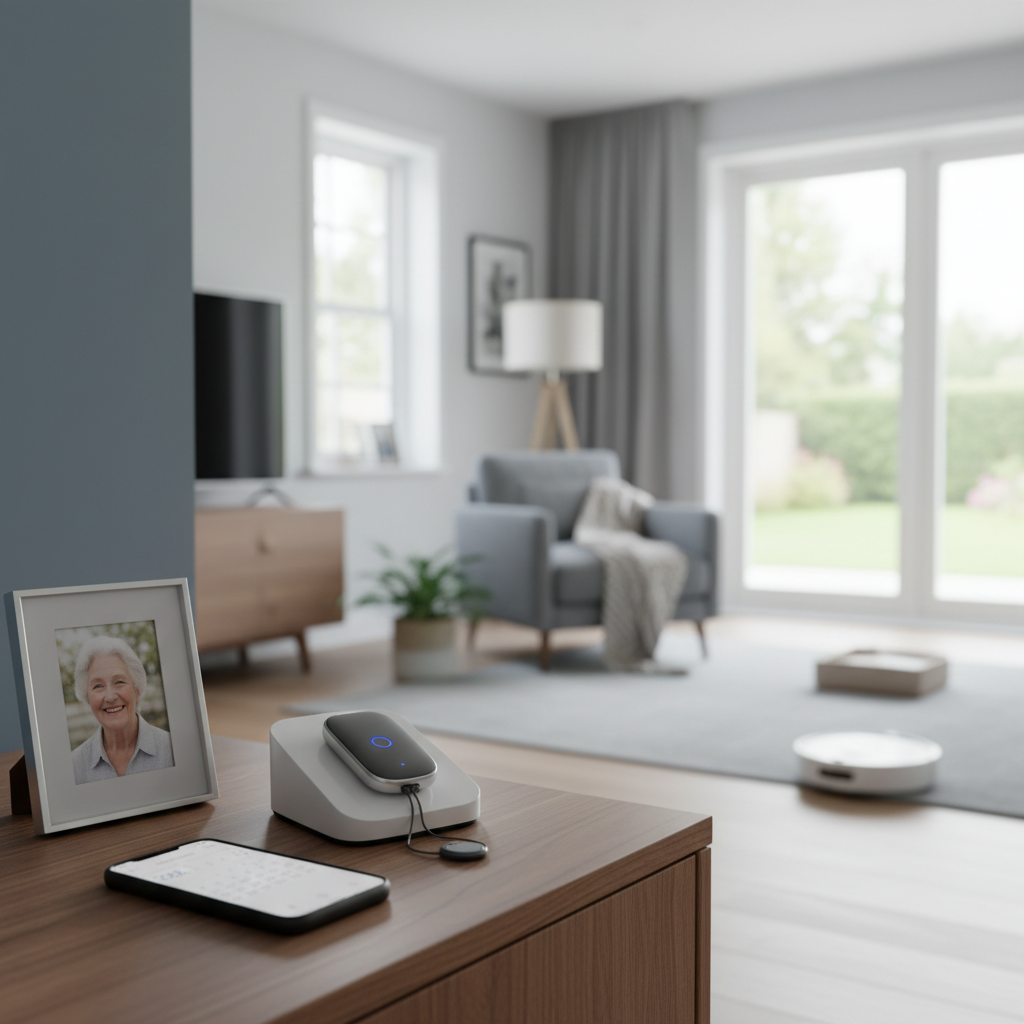
In-home systems consist of a base station connected to a landline or cellular network and a wearable help button. They are ideal for seniors who spend most of their time at home and rarely leave. Range is typically 600 to 1,400 feet from the base station. These systems are usually the most affordable option, with monthly fees starting around $20 to $30.
Mobile (on-the-go) systems are standalone devices with built-in cellular connectivity and GPS. They work anywhere there is cell coverage — at home, in the car, at the grocery store, or on a walk. These are best for active seniors who leave the house regularly. Monthly costs typically range from $30 to $45, and the devices are usually small enough to wear as a pendant or clip to a belt.
Smartwatch-based systems combine medical alert functionality with the features of a modern smartwatch, including fitness tracking, medication reminders, and two-way calling. Companies like Medical Guardian, Lively (formerly GreatCall), and Apple (with its fall detection feature on Apple Watch) offer options in this category. Monthly monitoring fees for dedicated medical alert smartwatches typically range from $25 to $50.
What to Consider Before Choosing
Selecting the right system requires matching the device's capabilities to the senior's actual lifestyle and needs. Consider these questions:
- Does your loved one leave the house regularly? If yes, a mobile or smartwatch system with GPS is essential. An in-home-only system would leave them unprotected outside.
- Is fall detection a priority? If your loved one has a history of falls, balance issues, or a condition that could cause sudden loss of consciousness, automatic fall detection is strongly recommended.
- Does your loved one have a landline? Some in-home systems require a landline connection. If there is no landline, choose a cellular-connected system.
- How tech-savvy is the user? Simple one-button pendants are ideal for seniors who are not comfortable with technology. Smartwatch systems are better suited for tech-comfortable users.
- What is the budget? Monthly fees, equipment costs, activation fees, and fall detection add-ons all factor into the total cost. Many companies offer discounts for quarterly or annual prepayment.
Questions to Ask Before Signing a Contract
The Better Business Bureau advises asking these questions before committing to any medical alert provider:
- Is there a long-term contract, or is the service month-to-month?
- Is there a cancellation fee?
- Is the equipment purchased or leased? If leased, what happens if it is lost or damaged?
- Where is the monitoring center located, and is it UL-listed or CSAA Five Diamond certified?
- What is the average response time?
- Does the system work during power outages? For how long?
- Is the fall detection feature included in the base price or an additional charge?
Be wary of companies that require long-term contracts, charge excessive equipment fees, or use high-pressure sales tactics. Reputable companies like Medical Guardian, Bay Alarm Medical, and MobileHelp offer transparent pricing and flexible terms.
Getting Your Loved One to Actually Wear It
The most sophisticated medical alert system in the world is useless if it sits in a drawer. The National Institute on Aging acknowledges that many seniors resist wearing these devices due to stigma, denial of vulnerability, or simple forgetfulness. Strategies to encourage consistent use include:
- Framing the device as a tool for independence, not a sign of weakness. Emphasize that it allows them to continue living alone safely.
- Choosing a device that looks appealing. Many modern systems resemble regular jewelry or watches.
- Making it part of the daily routine — put it on after brushing teeth in the morning, take it off before bed.
- Having the senior test the device with the monitoring center so they feel comfortable and confident using it.
- Sharing stories of other seniors whose lives were saved by pressing the button.
Conclusion
A medical alert system is one of the most practical investments a family can make for a senior living alone. The best systems combine reliable fall detection, GPS tracking, comfortable design, and responsive professional monitoring to provide a safety net that operates around the clock. By evaluating your loved one's lifestyle, comparing features and costs, and prioritizing comfort and ease of use, you can find a system that delivers genuine security — and genuine peace of mind for the entire family.
Written by